 CodeZero
Installation
This guide will walk you through the deployment of CodeZero using Docker. Currently, CodeZero is in active development, and we are focused on building our community of early adopters. Follow these steps to set up your environment and connect your first runtime.
Prerequisites
Before beginning, ensure you have the following installed on your system:
- Git
- Docker and Docker Compose
Clone the latest release
To ensure stability, we recommend using the latest release. Run the following command to clone the repository:
Get the newest release version from the CodeZero GitHub releases page
git clone --branch <version> https://github.com/code0-tech/codezero.gitNavigate to the deployment directory:
cd codezero/docker-compose/Configure environment variables
CodeZero uses an .env file to manage initial credentials and system settings. Create or edit the file:
nano .envThe .env template
Ensure your .env file contains the following variables. Pay close attention to the Root Credentials and the
Image
Edition.
# IDE config
HOSTNAME=localhost
HTTP_PORT=80
HTTPS_PORT=443
SSL_ENABLED=false
SSL_CERT_FILE= # must be located in ./certs, defaults to "<hostname>.pem"
SSL_KEY_FILE= # must be located in ./certs, defaults to "<hostname>.key"

INITIAL_ROOT_PASSWORD=root
INITIAL_ROOT_MAIL=[email protected]

# Runtime config
AQUILA_SAGITTARIUS_URL=http://nginx:80
AQUILA_SAGITTARIUS_TOKEN=
DRACO_REST_PORT=8084

# Active services
COMPOSE_PROFILES=ide,runtime

# Image config
IMAGE_REGISTRY=registry.gitlab.com/code0-tech/packages
IMAGE_TAG= # version
IMAGE_EDITION= # ce or ee

# Internal config options
SAGITTARIUS_RAILS_HOST=sagittarius-rails-web
SAGITTARIUS_RAILS_PORT=3000
SAGITTARIUS_GRPC_HOST=sagittarius-grpc
SAGITTARIUS_GRPC_PORT=50051
SAGITTARIUS_LOG_LEVEL=info
SCULPTOR_HOST=sculptor
SCULPTOR_PORT=3000
POSTGRES_HOST=postgres
POSTGRES_PORT=5432
POSTGRES_DB=sagittarius_production
POSTGRES_USER=sagittarius
POSTGRES_PASSWORD=sagittarius
Key parameters:
INITIAL_ROOT_MAIL: The email address for the primary administrator.INITIAL_ROOT_PASSWORD: The secure password for your first login.IMAGE_EDITION: Set this to ce for the Community Edition or ee for the Enterprise Edition. This determines which Docker images will be pulled.
Initial deployment
Start the CodeZero containers in detached mode:
docker compose up -dOnce the containers are running, you can access the CodeZero Dashboard via your browser (typically at http://localhost/).
Connecting the runtime
A "Runtime" is the engine that executes your flows. To activate it, you must generate a unique token within the dashboard and link it to your configuration.
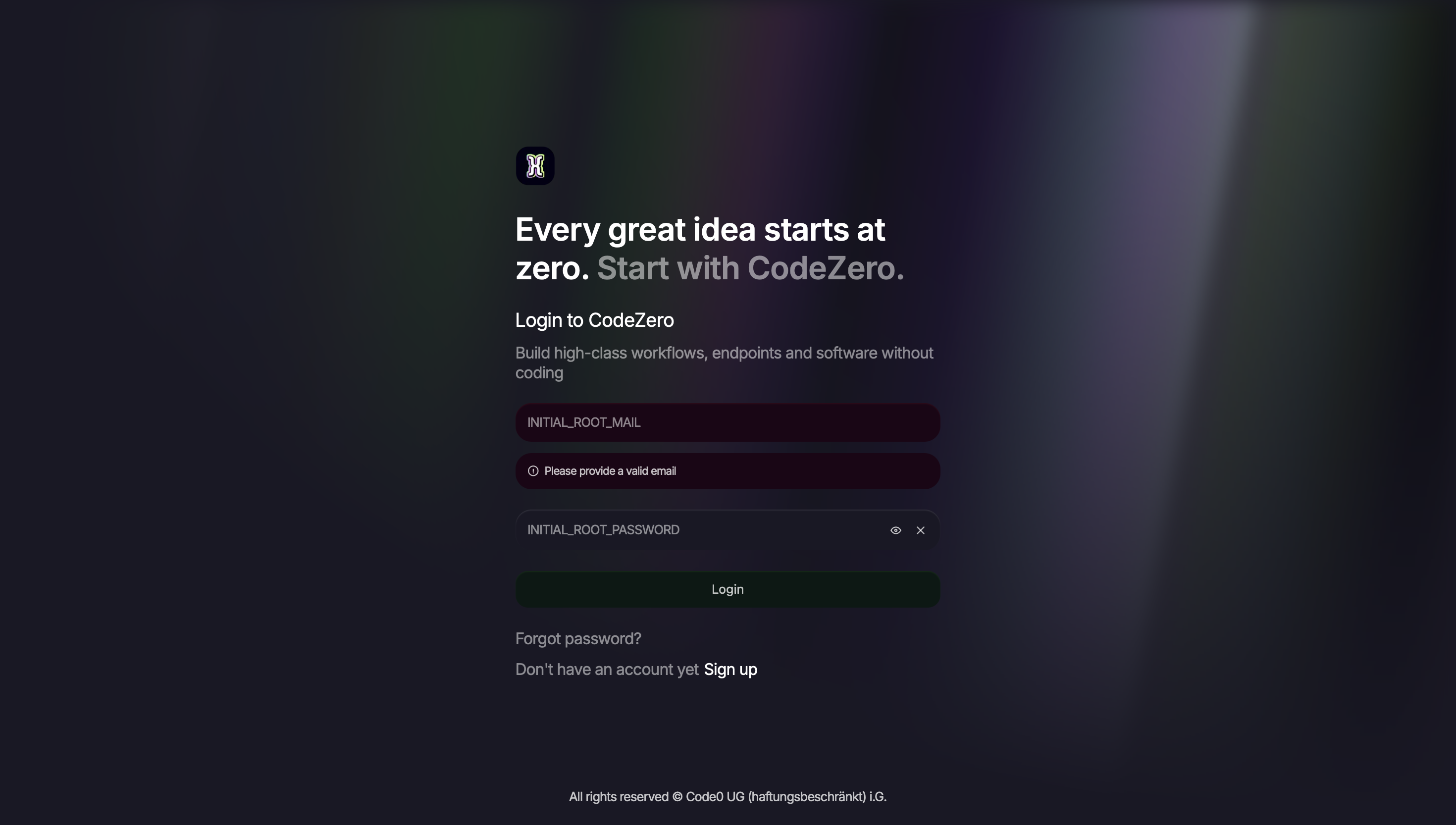
Login
Log in to the dashboard using the INITIAL_ROOT_MAIL and INITIAL_ROOT_PASSWORD you defined in your .env
file.
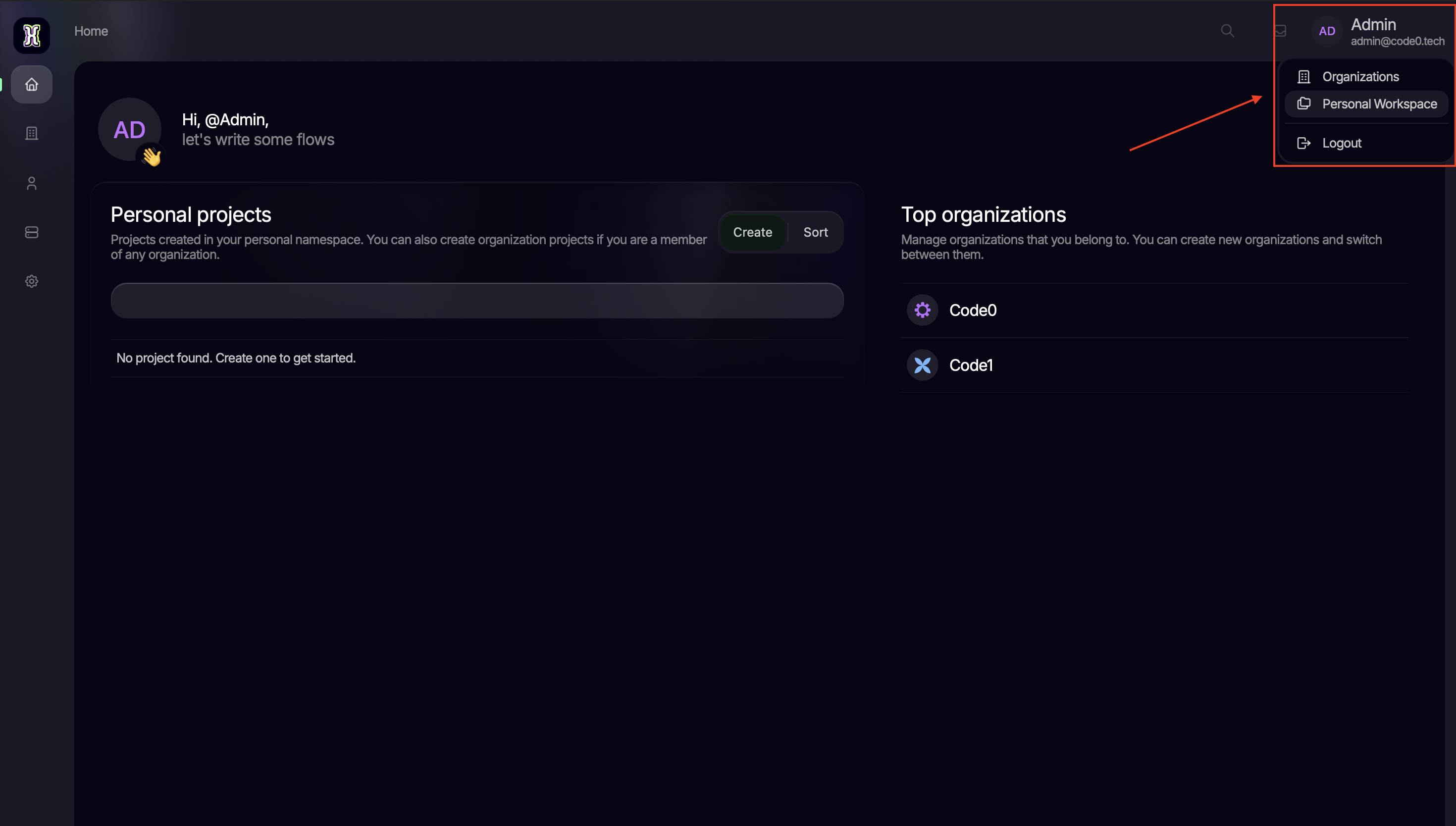
Create organization or navigate to personal workspace
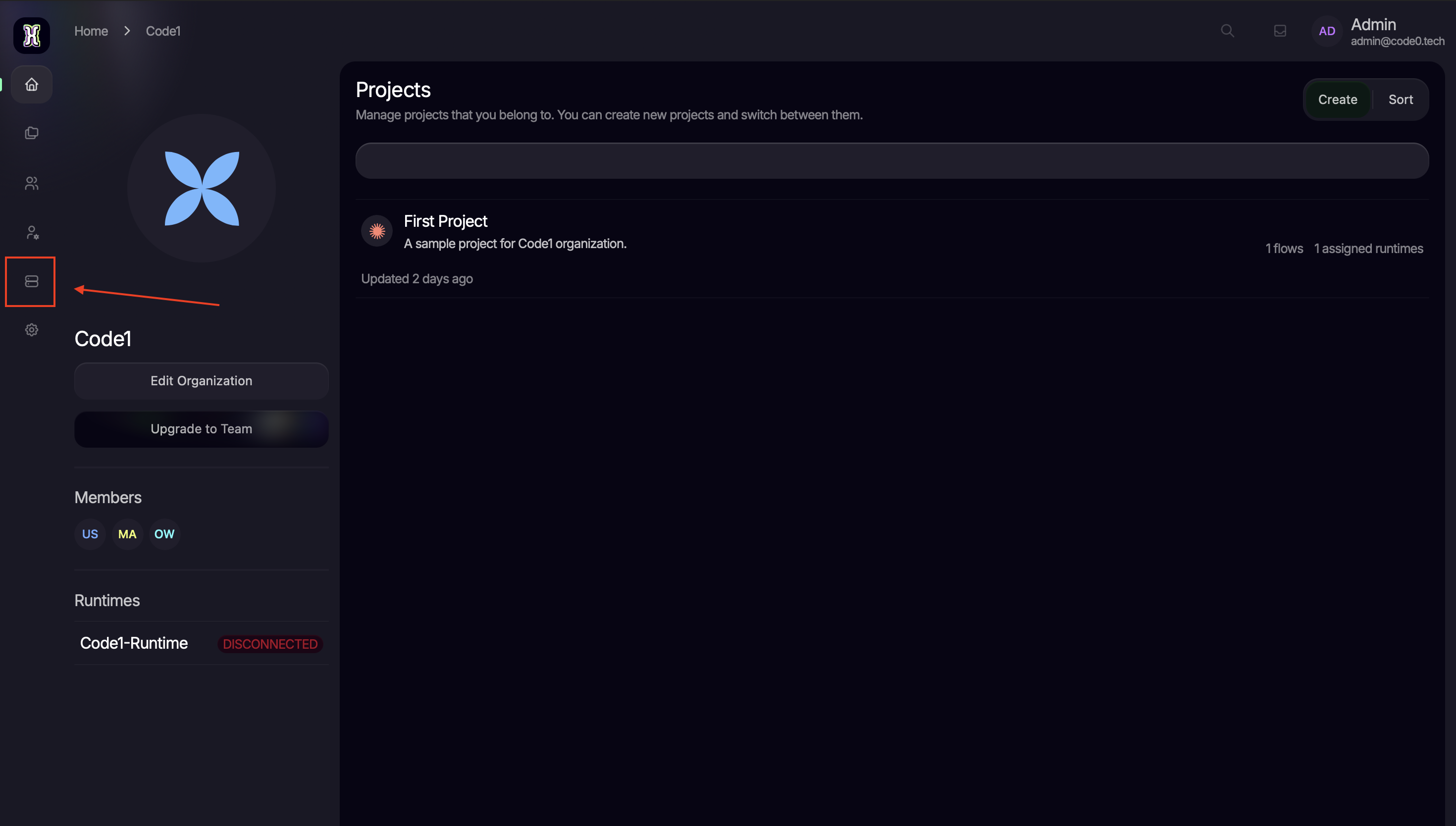
Navigate to runtimes
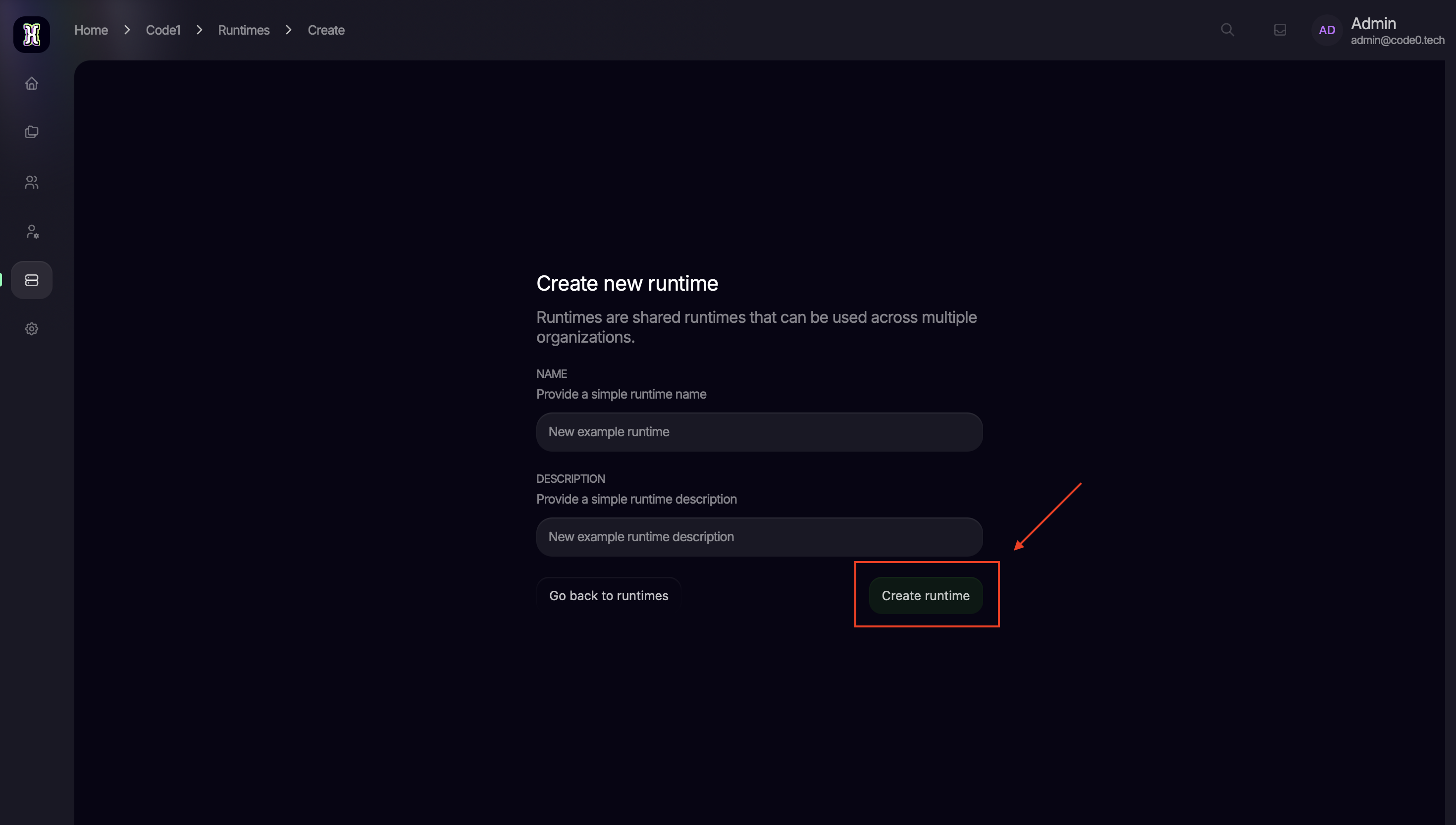
Create new runtime
Copy the generated token
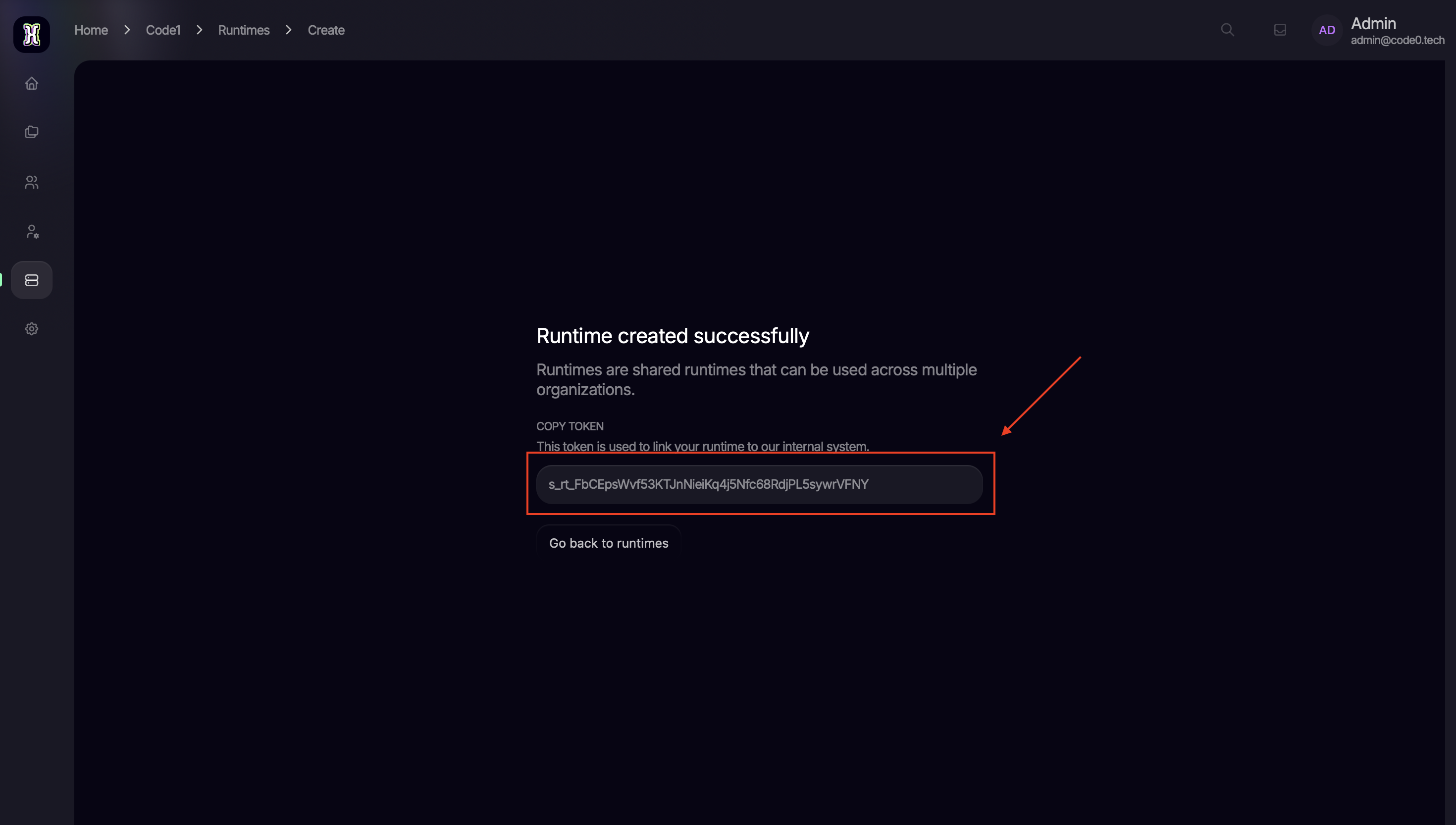
Update your .env file
Update your .env file with the copied token at AQUILA_SAGITTARIUS_TOKEN and save the file.
Finalize the setup
For the changes to take effect and for the runtime to authenticate correctly, restart the containers:
docker compose restartYour CodeZero instance is now fully configured and ready to manage your enterprise flows and organizational structures.